

🚀 Quick Start with Mission Control
Mission Control is your web interface for running and managing AI agents. Get started in minutes with pre-built workflows for security scanning, GitHub management, analytics insights, and more.
Mission Control is in beta. Please share any feedback with us in GitHub discussions.
- Bug fixes & code quality - Address nitpicks and technical debt
- Feature development - Build boilerplate-heavy features
- Security & compliance - Automated vulnerability scanning
- Investigation & analysis - Research issues to kickstart your work
- Custom workflows - Run repeatable tasks with your own rules and prompts
Quick Start
1
Access Mission Control
Go to Mission Control Agents and connect with your GitHub account.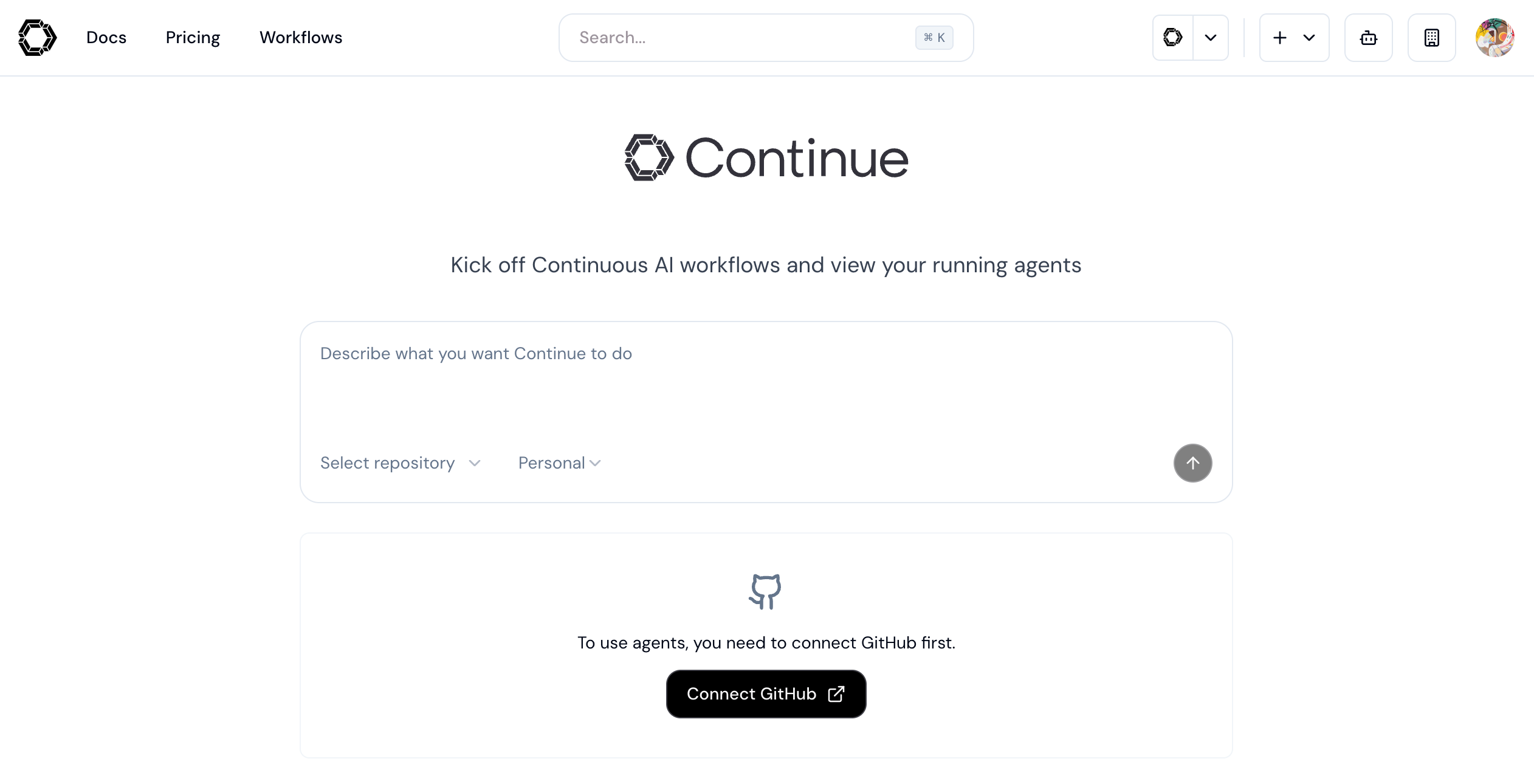
2
Choose an Agent
Select from pre-configured agents or create your own:
Triages issues and manages workflows
Security Scanner
continuedev/snyk-continuous-ai-agent
Finds vulnerabilities and creates fix PRsGitHub Manager
continuedev/github-project-manager-agentTriages issues and manages workflows
3
Run Your First Agent
Enter additional instructions and watch your agent work:
New to agents? Check out our pre-configured agents to test out a workflow immediately.
Try an Agent First: Your 60-Second Challenge
Before creating your own agent, let’s see one in action! The fastest way to experience the power of Continue agents is with our demo repository.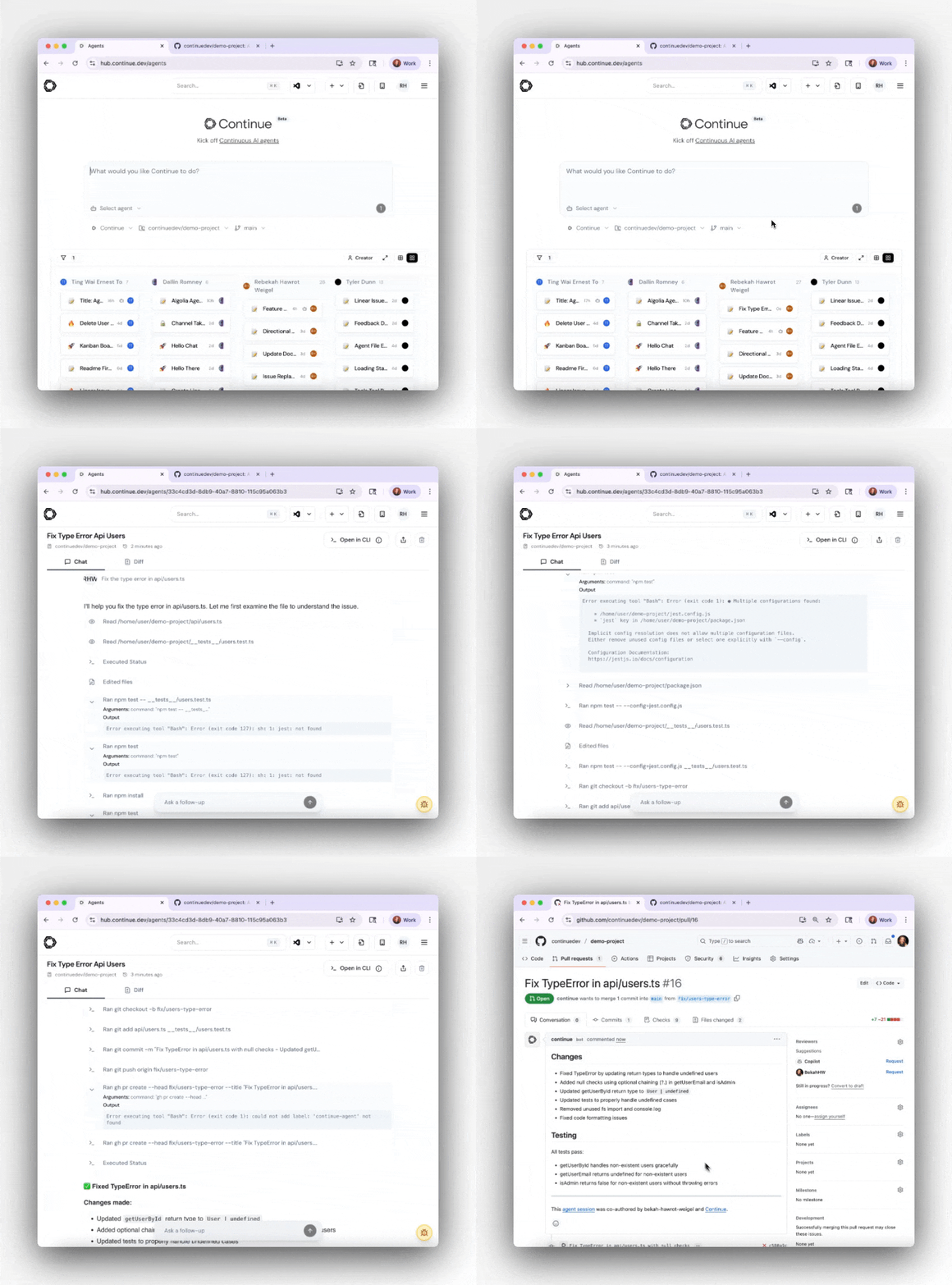
See an Agent Create a Pull Request in Under 60 Seconds
1
🍴 Fork Our Demo Repository
Get a safe sandbox to experiment with:Option 1: GitHub Web Interface
Visit github.com/continuedev/demo-project and click ForkOption 2: GitHub CLI
2
🎯 Access Mission Control
Go to Mission Control Agents and:
- Connect GitHub and authorize Continue when prompted
- This gives agents access to create PRs in your repositories
3
🚀 Run Your First Agent
Target your forked demo repo and try one of these commands:
- Add New Feature
- Fix Existing Bug
- Add Documentation
4
✨ Watch the Magic
Result: A fully-formed Pull Request opens in your demo repo with:
- Complete implementation or fix
- Proper commit messages
- Detailed PR description
- Ready for review and merge
Why Use the Demo Repo?
- Safe testing environment - No risk to your production code
- Pre-configured issues - Common bugs and features to practice with
- Immediate results - See agents in action without setup complexity
- Learn by example - Study the generated code and PR descriptions
Example Workflow Tasks
Here are some example tasks you can try with your agents:Bug Fixes & Code Quality
Bug Fixes & Code Quality
- “Fix the TypeError in api/users.ts where the user object might be undefined”
- “Add null checks to all database query results in the services/ directory”
- “Fix all ESLint warnings in the components folder and open a PR”
- “Update deprecated React lifecycle methods to hooks in legacy components”
Feature Development
Feature Development
- “Create a new REST endpoint for user profile updates with validation and error handling”
- “Add pagination to the products list page with previous/next buttons”
- “Implement dark mode toggle using Tailwind CSS classes across all pages”
- “Add unit tests for the authentication service using Jest”
Security & Compliance
Security & Compliance
- “Run a complete security scan and create GitHub issues for critical vulnerabilities”
- “Scan the codebase for hardcoded API keys and move them to environment variables”
- “Add input sanitization to all user-facing form fields”
- “Update npm packages with security vulnerabilities and test compatibility”
Documentation & Boilerplate
Documentation & Boilerplate
- “Add JSDoc comments to all exported functions in the utils/ directory”
- “Create a README.md for the new payment-processing module with setup instructions”
- “Generate TypeScript interfaces for all API response schemas”
- “Add error handling boilerplate to all async functions missing try-catch blocks”
Investigation & Analysis
Investigation & Analysis
- “Investigate why the login API is returning 500 errors intermittently and suggest fixes”
- “Analyze the performance bottleneck in the data processing pipeline”
- “Review the database schema for the orders table and suggest optimizations”
- “Find all TODO comments related to authentication and create a summary”
Refactoring
Refactoring
- “Extract the repeated validation logic in controllers into a shared utility function”
- “Convert all class components in src/legacy to functional components with hooks”
- “Rename all instances of ‘userId’ to ‘accountId’ across the codebase”
- “Split the 500-line UserService.ts into smaller, single-responsibility services”
Ways to Run Agents
Choose the method that fits your workflow:- 🌐 Mission Control
- 💻 CLI (TUI Mode)
- 🤖 Headless Mode
Web interface for interactive usePerfect for:
- Exploring agent capabilities
- Reviewing outputs before action
- Team collaboration
- One-time tasks
Best Practices for Success
The practice of using agents (Continuous AI) requires thoughtful setup of guardrails and habits:Start Small
Begin with tasks you’re confident Continue can handle, like fixing known bugs with simple solutions.
Practice Locally
Test with Continue CLI in TUI mode before deploying automation.
Be Thorough
Agents can run for extended periods - invest time in detailed prompts with all important context.
Team Alignment
Discuss agent usage and adjust code review habits for higher PR volumes.
Learn More: Explore advanced patterns and case studies on the Continuous AI Blog.